
Introduction
A regular caregiver calls in sick. A daycare closes for a teacher planning day. A parent needs help getting to a doctor's appointment. These disruptions happen without warning, and they can derail an entire workday.
Employee backup care benefits exist for exactly this moment: temporary support when your usual childcare, adult care, or elder care arrangement falls through.
Nearly 29% of households with children under 5 experienced a childcare disruption in a four-week period, according to a 2024 analysis by the Administration for Children and Families. Among those affected, 47% lost pay and 30% didn't work or search for work that day.
Yet many employees never use this benefit. They don't know if they're eligible, which portal to use, or what's actually covered.
This guide walks through the U.S. process for checking eligibility, finding the right platform, requesting care, and troubleshooting access problems. Exact rules vary by employer.
Key Takeaways
- Confirm eligibility and review your benefits guide before you book care
- Gather your work email, dependent details, care dates, and location in advance
- Book care through your employer's portal, app, or designated backup care provider
- Plan rules set covered dependents, annual limits, copays, and cancellation terms—review them first
- Contact HR first, then the care provider, if you hit access problems
When Should You Use Employee Backup Care Benefits?
Backup care covers short-term, unexpected gaps in your regular care arrangement, not permanent replacements for daycare or an ongoing caregiver.
Common triggers include:
- A sick nanny, babysitter, or family caregiver
- A school or daycare closure, including holidays and teacher planning days
- An unexpected work commitment, like a last-minute trip or extended shift
- A family emergency or short-term recovery need (for you or a dependent)
- Support for an aging parent's daily activities when their regular caregiver is out
What it's typically not for:
- Replacing your everyday childcare arrangement
- Care for someone outside your plan's eligible dependents
- Requests outside your plan's geographic area or service categories
When a gap does qualify, how you get care depends on how your employer structured the benefit.
Care Settings Vary by Employer
You might have access to:
- In-home care — a sitter or caregiver comes to your address
- Center-based care — a licensed daycare or adult care center
- Personal-network care — paying a trusted relative or neighbor through the platform
- Reimbursement — you pay upfront and submit a receipt afterward

Some plans, including certain Helpr-enabled employer programs, distinguish between one-off backup care bookings and a separate "Care Finder" service that sources longer-term providers in advance. Check your specific plan documents; the terminology and coverage differ by employer.
Advance Notice vs. Urgent Requests
Some plans support reservations up to 90 days out. Others accommodate same-day or urgent requests when a provider is available.
Provider capacity and local service hours still decide whether your request gets filled. Eligibility alone does not guarantee a booking.
What You Need Before Using Employee Backup Care Benefits
Before you try to book anything, confirm the basics. This saves time later, especially during an actual emergency.
Step one: verify the benefit exists and find the access point.
Check your benefits guide, company intranet, open enrollment materials, or ask HR directly for:
- The name of the backup care provider or platform
- The portal link, app name, or phone number
- Whether you need to enroll before you can book
Step two: confirm your eligibility.
Eligibility rules typically cover:
- Employment status (full-time, part-time, contractor)
- Any waiting period after your hire date
- Enrollment requirements tied to your health plan
- Which dependents qualify — spouse, domestic partner, parent, grandparent, or child
Some employer plans limit eligibility to employees in active pay status and exclude those on leave. Others tie access to enrollment in a specific health plan within 30 days of hire.
Step three: gather your information.
Have this ready before you log in:
- Work email or employee ID
- Personal contact details
- Dependent names, ages, and any relevant care needs
- Care address and requested dates/times
Step four: review the financial rules.
Check these details before you book:
- Annual or per-booking hour limits
- Copay amounts
- Whether payment runs through the app or directly to the provider
- Cancellation policies
Some plans also charge a minimum payment per appointment regardless of hours used. Read the fine print once, before you're in a rush.
How to Access Your Employee Backup Care Benefits
Accessing backup care follows a consistent sequence, even when the exact screens differ by employer:
- Verify eligibility
- Locate the access point
- Complete your profile
- Submit a request
- Review the match
- Confirm
Skipping the account or eligibility step is the single biggest cause of delayed care.
Locate the Correct Access Channel
Search your benefits portal, HR intranet, onboarding packet, or open-enrollment confirmation email for the backup care provider name. This benefit often lives on a separate app or web portal, not your general payroll or insurance login.
If you can't find it, ask HR directly rather than guessing. Some companies bury this link in a benefits summary PDF that's easy to overlook during onboarding.
Confirm Eligibility and Create or Activate an Account
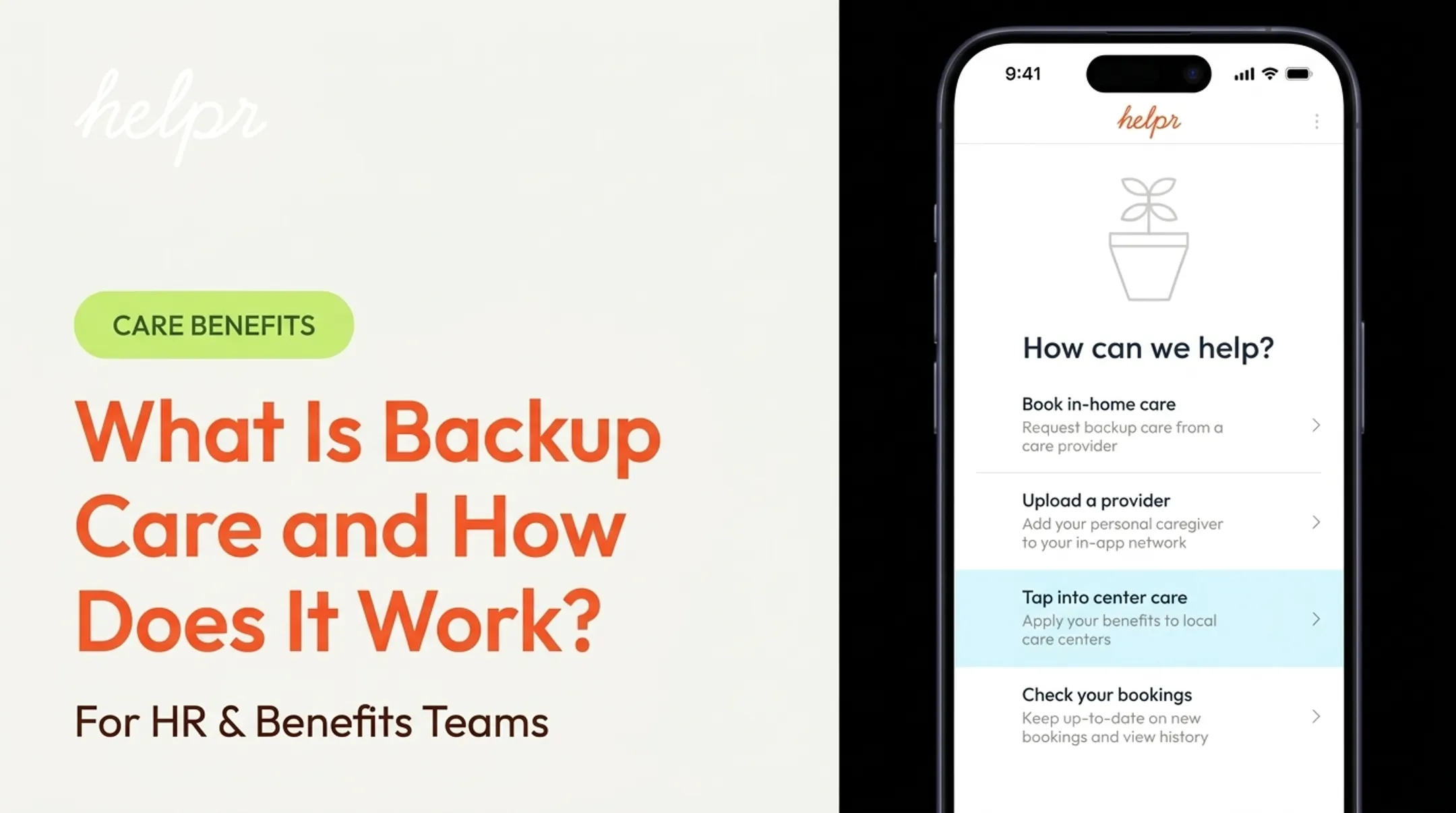
Most platforms verify you through your work email or employee credentials. On Helpr's app, for example, employees select an "I'm an employee" option at launch. From there, registration uses either a company email address or a company code from the employer.
From there, you'll usually need to:
- Confirm your employment and select your employer's specific plan
- Add your dependents and their relevant details
- Accept the plan's terms and privacy notices
Submit a Care Request
Once your profile is active, enter the details of your request:
- Care type (childcare, adult/elder care, respite, recovery support)
- Dependent information
- Service location
- Date, time, and duration needed
- Any special instructions
Request care as early as possible when the need is predictable. School closures and planned medical procedures fall into this category. For truly last-minute needs, submit the request anyway. Some platforms send it out to all available local providers immediately.

Review, Accept, and Confirm the Arrangement
Before finalizing, review:
- Provider details and care setting
- Dates, times, and total cost
- Your copay amount, if any
- Cancellation terms
Once you accept, save the confirmation number, provider contact information, and any receipt requirements. A Helpr booking confirmation, for instance, may show a "Provider Assigned" notification with the appointment time and location. Screenshot it so you have the details offline if you need them later.
Complete the Care and Required Follow-Up
After the appointment, you may need to:
- Check in or out through the app
- Confirm attendance
- Pay your employee share, if payment wasn't already processed
- Submit a receipt for reimbursement
- Report a cancellation or service issue
Keep documentation until the charge or reimbursement is fully settled. On some platforms, the team reviews reimbursement requests and sends email status updates. Payment often starts within a couple of days after the booking ends.
Best Practices for Using the Benefit Effectively
A few habits make this benefit genuinely useful instead of a source of frustration.
Request care as soon as you know about a disruption, even if your plan technically allows last-minute bookings. Provider matching takes time, and earlier requests get better options.
One company pilot reported by SHRM in 2024 found that consistent backup care use correlated with 120 fewer employee absences over six months and a sharp drop in turnover — a single pilot result, not a guarantee, but a signal that early, consistent use pays off.
Double-check the details before submitting:
- Dependent age and specific care needs
- Address, arrival, and departure times
- Emergency contact information
- Total hours or days requested
Use the proper cancellation process. Missing an appointment without canceling through the platform often triggers a fee: some plans charge up to 75% of the total cost if you cancel within 24 hours of the start time or aren't present at the address. Repeated no-shows can also get an account deactivated.
Keep your own records. Track confirmations, receipts, remaining annual hours, and any support conversations. This makes your next request faster and helps you catch billing errors.
Take provider vetting seriously, but don't assume it covers everything. Most platforms run background checks and verify work eligibility, but they typically don't independently verify every credential a caregiver lists. Ask your own questions before the appointment.
If the benefit can't meet your need, ask about alternatives. Some plans offer a separate service for longer-term provider matching, personal-network reimbursement, or care navigation support. HR or the provider's support team can point you toward what's actually available.

Conclusion
Accessing employee backup care is straightforward once you follow the right sequence. Most friction comes from skipping a step, not from a hard process.
Before you book:
- Confirm your eligibility and remaining care days
- Gather login details, dependent info, and work location
- Use your employer-designated portal or app
- Check plan rules on notice windows, copays, and covered care types
Save your benefits portal link and support contact now, before an urgent need hits. Availability, cost, and covered services are set by your employer, so your plan may differ from a colleague's at another company.
If you're unsure what you have, ask HR or your benefits administrator. Many employers offer backup care through platforms like Helpr, which connects eligible employees with vetted childcare and eldercare when regular arrangements fall through.
Frequently Asked Questions
How do I access my employee backup care benefits?
Check your benefits portal, HR materials, or employee handbook for the designated provider link or phone number. From there, verify your eligibility and create or log into your account.
What information do I need to request employee backup care?
You'll need your work email or employee credentials, dependent details, requested care dates and times, service location, care type, and any required payment or authorization information.
Can I use employee backup care for an aging parent or another adult dependent?
Many employer plans do include adult and elder care, but eligible relationships, covered services, and required documentation vary by plan. Check your specific benefits guide to confirm.
Do I need to request backup care in advance?
Notice requirements vary by employer. Advance requests generally improve your odds of a provider match, though many plans also accommodate urgent or same-day requests when providers are available.
How much does employee backup care cost?
Some employers fully subsidize backup care, while others require a copay or reimbursement contribution. Separately, the Dependent Care FSA contribution limit set by the IRS is a tax-advantaged savings cap, not a backup care cost figure.
What should I do if I cannot access my backup care benefit?
Confirm your eligibility and login details first, then contact the provider's support team. If that doesn't resolve it, ask HR or your benefits administrator to check your enrollment status or plan coverage.