
A dependent care FSA savings calculator helps solve this by estimating how pre-tax payroll contributions change the after-tax cost of eligible care expenses. But the tool is only as good as its inputs. Users still need to estimate annual care costs, confirm which dependents and expenses qualify, understand their employer's plan rules, and avoid overcontributing.
This guide walks through how to prepare accurate inputs, use the calculator correctly, interpret what it tells you, and double-check the result against current IRS guidance and your own tax situation.
Key Takeaways
- Base inputs on realistic, work-related care costs — not a best-case guess or the plan maximum.
- Confirm your plan's contribution limit, deadlines, and grace-period rules before enrolling.
- Compare estimated DC-FSA savings against the Child and Dependent Care Credit.
- Treat every result as an estimate, not a guarantee of eligibility or reimbursement.
When Should You Use a Dependent Care FSA Savings Calculator?
The calculator earns its keep at three moments: open enrollment, after a qualifying life event, and whenever your care costs shift. Running the numbers before you commit to an annual election is far easier than adjusting mid-year.
Good scenarios for running the calculator:
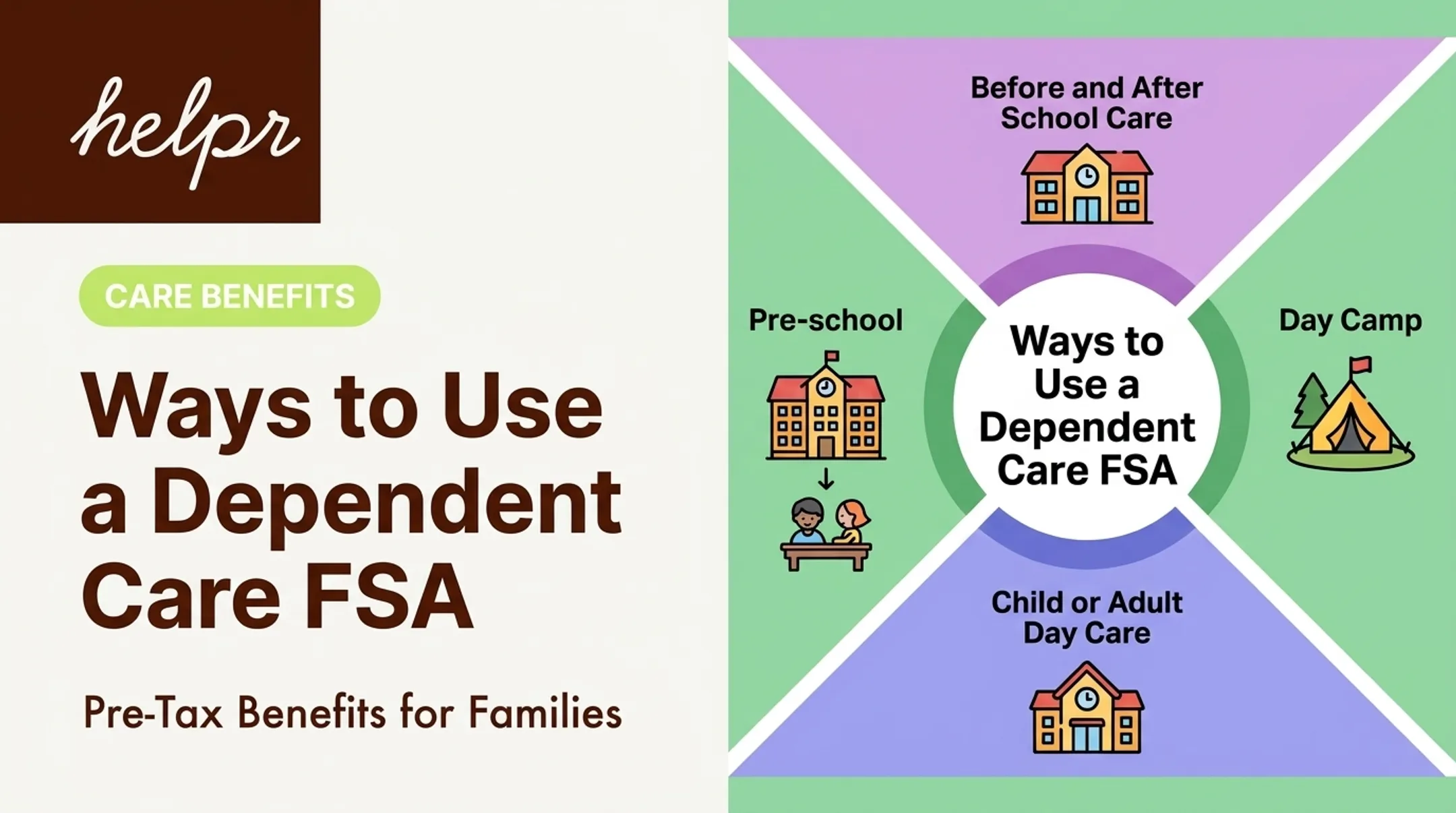
- Estimating recurring daycare, preschool, or nanny costs
- Planning for before- or after-school care that runs until your workday ends
- Budgeting for summer day camp
- Estimating adult dependent care that allows you or your spouse to work
Those scenarios only count if the person and expense meet IRS rules. Under IRS Publication 503, a qualifying person is generally a dependent child under age 13, or a spouse or dependent adult who cannot care for themselves and lives with you more than half the year. The expense must also pass the "work-related" test: it enables you (or your spouse, if filing jointly) to work or actively look for work.
The estimate gets shakier when your care situation is unsettled. If you don't yet know your provider, your schedule may change, or you're unsure a dependent qualifies, treat the result as a rough guess.
A calculator estimates financial impact. It doesn't determine whether your provider or dependent actually qualifies under IRS or plan rules. That confirmation has to happen separately.
What You Need Before Using a Dependent Care FSA Savings Calculator
Garbage in, garbage out. Before opening a calculator, gather the following.
Plan Details From Your Employer
- Plan year start and end dates
- Enrollment window and deadline
- Annual contribution limit set by the plan
- Claim submission deadline
- Grace-period or carryover provisions (most DC-FSAs don't carry over unused funds)
Your Expected Eligible Expenses
List expected costs by month, then separate what actually qualifies from what doesn't:
| Likely to qualify | Likely does not qualify |
|---|---|
| Daycare or licensed care center | Overnight camp |
| Preschool below kindergarten | Kindergarten and higher-grade tuition |
| Before/after-school care | Tutoring or summer school |
| Day camp (including activity-based camps) | Ordinary household services unrelated to care |
| In-home care during work hours | Medical or nursing services (generally) |
Household help can sometimes qualify, but only when it's at least partly tied to a qualifying person's well-being. A housekeeper who cooks and watches a 9-year-old while you're at work generally counts. Someone hired mainly for gardening or driving doesn't, unless that duty is minimal.

Numbers the Calculator Will Ask For
- Annual eligible expenses
- Planned annual contribution
- Pay frequency
- Filing status and household income (or marginal tax rate)
Records to Keep for Later
You'll need these for Form 2441 and for any reimbursement claim your plan administrator requires:
- Provider name, address, and taxpayer ID (SSN/ITIN for an individual, EIN for an organization)
- Dates of care
- Payment proof
How to Use a Dependent Care FSA Savings Calculator
Work through the calculator in order: enter verified inputs, estimate your benefit, compare it to real care costs, then check the result against plan and tax rules.
Step 1: Enter Your Expected Eligible Care Expenses
Use a realistic annual figure based on provider rates, scheduled care days, and school breaks. Example: $450 a week for after-school care across 40 work weeks equals about $18,000 (hypothetical only).
Only include expenses that are care-related and tied to your (or your spouse's) work or job search. Mixed-purpose costs, such as a camp that is part childcare and part tutoring, may need to be split.
Step 2: Enter Your Planned Contribution
Test more than one scenario:
- Conservative contribution: covers only your most predictable, recurring costs
- Expected-use contribution: matches your realistic annual estimate
- Plan maximum: only if your actual costs justify it
For 2026, IRS Publication 15-B sets the dependent-care assistance exclusion at up to $7,500 annually, or $3,750 for married employees filing separately. That figure is a household ceiling, not a per-spouse allowance, and your employer's plan may set a lower limit.
The exclusion also can't exceed either spouse's earned income, so don't assume the IRS cap automatically applies to you.
Step 3: Add Tax and Payroll Assumptions
The calculator applies your federal, state, and payroll tax rates to the amount you contribute pre-tax. Fields and treatment vary between tools — some show federal income tax only, others add Social Security and Medicare effects.
Don't guess your marginal rate or assume every payroll tax works the same in your state. State treatment of dependent care benefits isn't uniform, so confirm local rules or ask a tax professional.
Step 4: Review the Estimated Tax Savings
Keep three numbers separate:
- The amount contributed (what leaves your paycheck)
- The estimated tax reduction (what you save)
- The net cost of care (what you still pay out of pocket)
These numbers will shift if your actual care costs, income, filing status, or contribution amount ends up different from what you entered. Revisit the calculation whenever any of those inputs change.
Step 5: Compare the Result With Alternatives
Run the same expenses through a Child and Dependent Care Credit comparison. The 2026 draft IRS instructions for Form 2441 cap qualifying expenses at $3,000 for one qualifying person or $6,000 for two or more, with an applicable percentage that ranges from 50% down to 20% depending on adjusted gross income.
You can't double-dip. Dependent care benefits excluded through your FSA reduce the expense base available for the credit dollar-for-dollar. If your excluded FSA benefit already equals the $3,000 or $6,000 limit, no credit remains on those same dollars. Verify current rules before relying on a simple side-by-side percentage.
Step 6: Validate Before Enrolling
Before finalizing your election:
- Confirm your dependent and provider actually qualify
- Make sure your contribution doesn't exceed realistic expenses
- Check your plan's claim deadlines and reimbursement process
- Save documentation for every payment
The calculator is an educational planning tool. Final eligibility and tax questions belong with your plan administrator or a tax professional.

Where a Dependent Care FSA Calculator Estimate Is Commonly Used in Practice
During open enrollment, employees use the calculator to pick a contribution that fits their expected costs, while HR and benefits teams use it as an education aid, never as a promise of a specific outcome for any one employee. Common recalculation triggers:
- A child starting school and needing a different care arrangement
- Switching to a new provider with different rates
- A summer-only camp or care arrangement
- New or changing care needs for an adult dependent Each of these changes the math enough that last year's election may no longer fit. A DC-FSA helps with the tax treatment of eligible expenses, but it doesn't guarantee provider availability, emergency coverage, or how fast a claim gets reimbursed. Planning tools and actual care access solve different problems. Helpr's employer-sponsored backup care platform is one example: a savings calculator estimates the financial value of pre-tax contributions, while backup care covers what happens when a regular arrangement falls through, such as a snow day, a sick nanny, or a gap in eldercare support. Helpr also connects DC-FSA-eligible bookings to reimbursement, so employees can use a DC-FSA debit card or pull receipts from the app to submit to their FSA vendor.
Best Practices for Using the Estimate Effectively
Treat a calculator result as a working estimate you refine over the year. A few habits make it more reliable:
- Stay conservative when uncertain. If your care arrangement or job status might change, contribute for your most predictable costs only.
- Track expenses month-by-month. Compare your running total against actual claims so you catch unused funds or missing documentation early.
- Read your plan's fine print. Use-it-or-lose-it rules, grace periods, and reimbursement deadlines vary by employer — don't assume yours matches a coworker's.
- Recalculate after major changes. New tax brackets, a shift in household income, or a change in filing status all affect the math.
- Get help for unusual situations. Self-employment, a nonworking spouse, married-filing-separately status, or care for an adult dependent all have special rules worth a professional review.
Conclusion
A dependent care FSA savings calculator works best when the inputs reflect real eligible, work-related care costs for your employer's plan. Treat the output as a planning estimate, not a locked-in number.
Before you enroll, run through these final checks:
- Compare the FSA estimate with the Child and Dependent Care Credit
- Keep receipts and provider details organized for reimbursement
- Contribute only what you reasonably expect to use
Solid inputs and conservative contribution amounts make family-care benefits easier to evaluate. Confirm tax treatment with a qualified professional before you lock in your election.
Frequently Asked Questions
How much should I contribute to a dependent care FSA?
Match your contribution to expected eligible work-related care costs, up to current IRS and employer plan limits. Avoid overcontributing, and confirm your household’s earned-income limits before you finalize the election.
Is a dependent care FSA worth it?
It can be, if your eligible care costs, tax rate, filing status, and available credits outweigh the risk of unused funds. Run a few calculator scenarios before electing — don’t default to the maximum.
Who and what qualify for a dependent care FSA?
Qualifying dependents usually include children under 13 and adults or spouses who can’t care for themselves. Expenses must be work-related — confirm details with current IRS rules and your plan administrator.